
Smartphone use has become a constant part of daily life. People read, work, communicate, and relax through their screens for hours each day. This extended exposure places pressure on visual comfort and focus. Eye-protection features have emerged as a response to this shift. They do more than adjust brightness. They actively shape how users interact with their devices across different environments. By reducing strain and improving clarity, these features influence how long people can use their phones and how comfortable they feel while doing so. Understanding their role helps explain how display technology now supports both usability and well-being in everyday digital habits.
How Eye-Protection Features Improve Visual Comfort During Daily Use?
Advanced Dimming Reduces Flicker-Related Strain
Modern smartphones use advanced dimming technologies to control brightness more precisely. High-frequency dimming reduces visible flicker, which often contributes to eye fatigue during prolonged use. When screens adjust brightness smoothly, users experience less strain, especially in low-light environments. This allows them to read or browse for longer periods without discomfort. For example, displays with 3840Hz risk-free dimming help stabilize visual perception. The eyes do not need to constantly adapt to subtle brightness shifts. This creates a more consistent viewing experience, supporting both comfort and focus throughout daily tasks that involve extended screen time.
Ultra-Low Brightness Supports Nighttime Usage
Smartphones often feel too bright in dark environments, even at standard low settings. Eye-protection features address this by enabling ultra-low brightness levels. With minimum brightness as low as 1 nit, users can view content comfortably in dim conditions. This reduces glare and prevents sudden visual contrast that can strain the eyes. Nighttime reading or browsing becomes smoother and less intrusive. Instead of adjusting their environment, users rely on their device to adapt. This level of control improves comfort during late hours and helps maintain a more relaxed viewing experience before sleep.
Adaptive Display Adjustments Match Surroundings
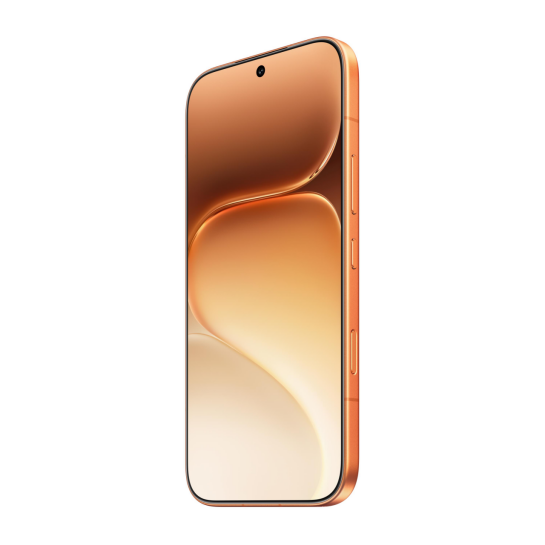
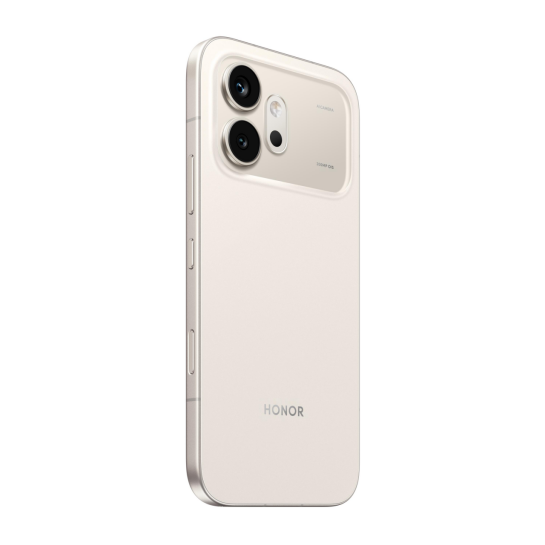
Smartphones now adjust display settings based on environmental conditions. Sensors detect ambient light and modify brightness and tone accordingly. This reduces the need for manual adjustments. Users experience consistent visibility whether they are outdoors or in a dim room. Devices like the HONOR 600 5G phone integrate these adaptive features to maintain visual comfort across different scenarios. By aligning display output with surroundings, smartphones reduce unnecessary strain and allow users to focus on content rather than constantly adjusting settings. This seamless adaptation supports longer and more comfortable usage throughout the day.
How Eye-Protection Technology Shapes User Behavior and Efficiency?
AI-Based Visual Optimization Enhances Focus
Eye-protection features now include intelligent adjustments that go beyond brightness. AI-based display technologies modify how content appears on screen to reduce visual stress. For example, defocus display techniques can improve visual comfort and even contribute to measurable improvements in transient myopia conditions. By optimizing how images are perceived, these features help users maintain focus for longer periods. This is particularly useful during reading, studying, or extended work sessions. When the eyes experience less strain, users can sustain attention more effectively, improving both productivity and overall screen experience.
Motion Stability Improves Viewing Experience
Smartphones are often used while moving, such as during travel or commuting. Motion-related discomfort can affect how users interact with their devices. Eye-protection features now address this issue by stabilizing visual output. Motion sickness relief technologies improve how content appears during movement, making it easier to read or watch without discomfort. This enhances usability in real-world situations where users are not stationary. Improved visual stability also increases efficiency. Users can complete tasks without needing to pause or adjust their behavior, allowing for smoother interaction in dynamic environments.
Reduced Fatigue Extends Productive Screen Time
Eye-protection features directly influence how long users can comfortably use their smartphones. Reduced visual fatigue allows for extended periods of focused activity. Whether working, reading, or communicating, users experience less discomfort over time. This does not simply increase screen time. It improves the quality of that time. Users remain attentive and engaged rather than distracted by strain or discomfort. Increased efficiency, such as measurable improvements in visual comfort and task performance, reflects how these features support daily productivity. By minimizing fatigue, smartphones enable users to maintain consistent performance across different activities.
Conclusion
Smartphone eye-protection features play a significant role in shaping daily use by improving comfort, reducing strain, and supporting sustained attention. Advanced dimming reduces flicker, ultra-low brightness enhances nighttime viewing, and adaptive adjustments align the display with surrounding conditions. At the same time, AI-based optimization and motion stability features improve focus and usability in various scenarios. These technologies allow users to interact with their devices more comfortably and efficiently. As screen time continues to grow, eye-protection features become essential tools that balance usability with well-being, helping users maintain a healthier and more effective digital experience.